Pricing is where product value turns into a real buying decision. It is also where a lot of good SaaS products start to feel harder to say yes to.
That is why SaaS pricing models matter so much. The way you package, structure, and present price shapes how buyers compare options and decide whether your product feels worth it.
Pricing is also part of the product experience. Done well, it helps customers understand what they are paying for, why it fits their needs, and how the value grows as they do.
In this blog, we will break down the most common SaaS pricing models, when each one works best, and how to choose the right approach for your product and audience.
What are SaaS pricing models?
SaaS pricing models are the frameworks companies use to decide how customers are charged over time. They define the basis of the charge, whether that is users, usage, feature access, or a recurring flat rate.
Each model answers a different business question. Are customers paying for access? Are they paying for scale? Are they paying for deeper functionality as their needs become more advanced?
That distinction matters because not every product delivers value in the same way. Some products become more useful as more teammates join. Others become more valuable as usage increases.
A software pricing model should reflect that pattern instead of forcing every customer into the same logic.
This is also what makes pricing SaaS products different from simply putting plans on a page. The model needs to match how the product is actually used, so the pricing feels connected to the value customers are getting.
Why SaaS pricing works differently from traditional pricing
SaaS pricing works differently because customers are not making a one-time purchase. They are paying for ongoing access to a product that keeps changing, improving, and delivering value over time.
That shifts the focus away from a single transaction and toward things like:
- Retention
- Expansion
- Long-term customer value
So while traditional pricing is often built around ownership, SaaS pricing is built around continued use. That is why the model has to support both growth and the customer experience long after the first payment.
Types of SaaS pricing models
There is no single “best” way to price a SaaS product. The better question is which model fits the way your product delivers value.
That is the part worth getting right. Some models make it easier to start. Some make expansion feel more natural. Others work best when usage is the clearest signal of value.
Let’s look at the most common SaaS pricing models and where each one tends to work best.
Flat-rate pricing
Flat-rate pricing keeps things simple. One product, one plan, one fixed price.
That simplicity can help a lot, especially when the product has a narrow use case, and the value is easy to understand upfront.
| Pros | Cons |
| Easy to understand | Limited flexibility |
| Fast to launch and manage | Can undercharge larger accounts |
| Reduces decision fatigue | May not fit different use cases well |
Best for: Products with a very focused use case and a similar value level across customers.
Example:
Basecamp’s Pro Unlimited plan is a good flat-rate example inside a broader pricing lineup. It is sold at one fixed monthly or annual price and includes unlimited projects, unlimited users, and unlimited clients, which makes the buying decision very simple for teams that want one price for everything.
Usage-based pricing
Usage-based pricing means customers pay based on how much of the product they use. That could be events tracked, emails sent, reports generated, or API calls made.
This model works best when usage and value move together. If the customer gets more value as usage increases, the pricing tends to feel fair.
| Pros | Cons |
| Scales naturally with customer value | Revenue can be less predictable |
| Lower barrier to entry | Costs may feel harder to forecast |
| Works well for growing accounts | Heavy users may become price-sensitive |
Best for: Products where usage is easy to measure and closely tied to delivered value.
Example:
Snowflake is a clear usage-based example. Its pricing is built around the storage and compute resources customers actually use, and it offers on-demand usage as well as pre-paid capacity. That works because the product’s value grows as customers run more workloads and store more data.
Per-user pricing
Per-user pricing charges customers based on the number of people using the product. The more seats they need, the more they pay.
It is one of the easiest models to understand, which is a big reason it remains so common. But it can also create hesitation when teams want wider adoption without paying more for every added user.
| Pros | Cons |
| Simple to explain | Can discourage team-wide adoption |
| Revenue grows as accounts expand | May not reflect actual product value |
| Easy for finance teams to forecast | Customers may limit seats to save money |
Best for: Collaboration tools and team-based products where each added user clearly increases value.
Example:
Jira uses per-user pricing across its paid plans. Its Standard and Premium plans are listed with per-user monthly pricing, which makes the model familiar and easy to budget for. That also fits the product well, because Jira is typically adopted by teams rather than by a single user in isolation.
Tiered pricing
Tiered pricing gives customers a set of plans to choose from. Each plan usually comes with different limits, support levels, or capabilities.
This works well when your product serves more than one kind of customer. A smaller team can start with one tier, while a more advanced buyer can move up when the need is there.
| Pros | Cons |
| Can create confusion if the tiers are not clear | Can create confusion if tiers are not clear |
| Creates a natural path to upgrade | Poor packaging can make plans feel arbitrary |
| Lets teams balance entry-level and premium offers | Feature gating can frustrate users |
Best for: Products that serve a wide range of customers, from smaller teams to larger accounts.
Example:
Notion is a clean, tiered example. Its pricing includes Free, Plus, Business, and Enterprise plans, which let different customer types enter at different levels. That works because the product serves individuals, small teams, and larger organizations with very different needs.
Feature-based pricing
Feature-based pricing separates plans by functionality. The higher the plan, the more advanced the tools or capabilities customers unlock.
This model works when the difference between basic and advanced use is easy to see. If the feature split feels random, though, the pricing can start to feel artificial.
| Pros | Cons |
| Makes plan differences easy to show | Can make the product feel fragmented |
| Supports upgrades through added capability | Important features may feel unfairly locked |
| Helps package for different maturity levels | Requires careful plan design |
Best for: Products with clear differences between core use and advanced use.
Example:
Typeform uses a feature-based approach alongside plan limits. Its paid plans unlock stronger customization, analytics, and collaboration options beyond what the free plan includes. That makes the upgrade path easier to understand because customers are not only paying for more volume, but also for more capability.
Freemium pricing
Freemium gives users access to a limited version of the product for free, with paid plans available for more capability, scale, or control.
It can be a strong model for product-led growth because people get to experience the product before paying. The challenge is making sure the free plan leads somewhere instead of becoming the final destination.
| Pros | Cons |
| Makes adoption easier | Free users can be expensive to support |
| Supports product-led growth | Conversion to paid can be low |
| Lets users experience value early | Free plan design can be difficult to balance |
Best for: Products with strong self-serve adoption and a clear path from free use to paid need.
Example:
Slack remains one of the best-known freemium examples. It offers a free plan with limited history, app connections, and meeting capabilities, then moves paid users into Pro, Business+, and Enterprise+ plans. That setup works because teams can start using the product quickly, then pay once collaboration needs become more serious.
Hybrid pricing
Hybrid pricing combines more than one pricing logic. A company might use seat-based pricing, add-ons, and usage charges all in the same offer.
This is common because many products do not fit neatly into one model. When done well, hybrid pricing reflects value more accurately. Done poorly, it becomes harder to explain.
| Pros | Cons |
| More flexible than a single-model approach | Can become harder to communicate |
| Better reflects how value is delivered | Pricing page can feel more complex |
| Supports different revenue levers | Buyers may struggle to estimate cost |
Best for: Products with more than one strong value driver, such as access, usage, and expansion.
Example:
Usermaven is a strong hybrid example. Its pricing includes usage-based limits tied to monthly events and tiered plans designed for different stages of customer growth. That combination makes sense for a product where value comes from both usage and plan level, rather than from one pricing logic alone.
Credit-based pricing
Credit-based pricing gives customers a pool of credits they can spend across different actions or services. Instead of paying directly for each action, they consume credits as they use the product.
This works well when different actions have different costs behind the scenes. It gives the company flexibility, but it also asks customers to think in an abstract unit instead of a plain price.
| Pros | Cons |
| Flexible for variable usage | Can feel abstract to buyers |
| Works well for AI and compute-heavy products | Harder to estimate true cost at a glance |
| Lets teams bundle different actions into one system | Needs very clear usage visibility |
Best for: AI products, data products, and platforms where usage is too varied for a simple per-seat or flat fee.
Example:
Salesforce Data 360 explicitly offers credit-based pricing as one of its pricing models. That is a good fit for a platform where customers may use different data and activation capabilities in different ways, since credits make it easier to meter varied usage under one system.
Custom or quote-based pricing
Custom pricing means the customer does not see a fixed public price. Instead, pricing is based on their needs, usage, team size, contract terms, or required support.
This model is common at the enterprise end of the market. It works when deals are complex, but it also adds friction because buyers cannot qualify themselves as easily.
| Pros | Cons |
| Flexible for large or complex deals | Slows down the buying process |
| Works well for enterprise packaging | Reduces pricing transparency |
| Leaves room for negotiation | Can discourage self-serve buyers |
Best for: Enterprise-focused products with variable needs, larger contracts, or sales-led motions.
Example:
Qualtrics follows a custom or quote-based pricing approach. Rather than listing a fixed public price, it directs buyers to request pricing, which is common for SaaS products where the final cost depends on the customer’s use case and business requirements.
How does SaaS pricing work?
Pricing usually looks simple from the outside. Pick a number, put it on the page, and hope customers say yes.
In reality, there is more going on than that. Good SaaS pricing comes from understanding what the product costs, what customers believe it is worth, and how the market already frames that decision.
So when teams build pricing, they are usually working through a few core questions:
- What does it actually cost to deliver the product?
Pricing has to leave room for a healthy business. That means knowing what it takes to support users, maintain the product, and keep delivering the service over time. - Where does the value become clear for the customer?
Not every product earns its price in the same way. Some become valuable when a team adopts them. Others become valuable when usage grows. Pricing works better when it follows that moment. - What are buyers already comparing you against?
Customers rarely look at pricing in isolation. They are comparing alternatives, expectations, and category norms. That context shapes what feels reasonable long before they reach your page. - Which pricing setup makes the most sense for the product?
This is where teams choose the model itself. It might be tiered, usage-based, per-user, feature-based, or something more flexible. The right choice depends on how the product is used and how customers prefer to buy. - Can the model adapt as customers grow?
Good pricing should not break the moment a customer needs more. It should leave room for expansion, changing needs, and different stages of growth without making the next step feel awkward. - Is the pricing easy to understand?
Clarity matters more than most teams think. If buyers cannot quickly tell what they are paying for, what changes at each level, or why the price works the way it does, hesitation starts creeping in.
How to choose the right SaaS pricing model
Choosing the right model gets easier when you stop treating pricing like a template.
The decision usually comes down to how your product creates value and what kind of buying experience makes the most sense around it.
1. Tie the model to real product value
A pricing model works better when it follows the point where value becomes real for the customer.
For some products, that happens when more people join. For others, it happens when usage increases or advanced needs show up.
That is why this part matters so much. If the pricing does not match the way value is delivered, it starts feeling arbitrary very quickly.
2. Build around your best-fit customers
Not every customer should be pushed into the same pricing logic.
A solo user, a startup team, and an enterprise buyer usually care about different things. They also buy differently.
Ask:
- Who are you really building for?
- What feels affordable to them?
- What kind of pricing would feel natural to that buyer?
The best model often becomes clearer when you stop pricing for everyone.
3. Study competitor pricing to sharpen your own
Competitor pricing can save you from guessing. It shows what buyers already expect to see, what feels normal in the category, and where your model may feel too heavy or too thin.
It also helps you spot where others are leaving gaps. That could be in packaging, entry points, or the way value is framed on the page.
The goal is to come away with a clearer read on the market, so your pricing feels intentional the moment someone compares it.
4. Let pricing reinforce your positioning
Pricing also signals how you want to be seen.
A lower-friction model may support accessibility and self-serve growth. A more premium setup may reinforce depth, support, or enterprise readiness.
This is where brand and market position start to matter. The model should not only fit the product. It should also fit the way you want the product to be perceived.
5. Check whether the model is financially sound
A pricing model still has to support the business behind it. That means knowing what it costs to acquire customers, support them, and keep delivering the product over time.
If the model looks good on paper but leaves no room for healthy growth, it will create problems later. Good pricing has to make sense for the customer, but it also has to hold up for the company.
6. Test before you commit
Pricing usually gets sharper through testing. Sometimes a model looks right in theory, then creates hesitation once real buyers start reacting to it.
That is why it helps to treat pricing like something you refine. You can test packaging, plan limits, feature splits, or entry points and learn which version people understand faster and adopt more easily.
For teams that want to take that work further, Monetizely is also worth exploring for deeper insights into SaaS and AI pricing strategy
7. Leave room for pricing to evolve
The right pricing model today may not be the right one a year from now.
Products evolve. Customer mix changes. Growth brings different kinds of pressure.
So the goal is not to find a model you never have to revisit. It is to choose one that fits now and can evolve without breaking the buying experience later.
Unlock insights that drive growth
How to track and analyze your SaaS pricing model
Once the model is live, the next step is to see how well it actually performs.
A few key ratios make that easier to spot:
- Visitor-to-paid ratio: Shows how well your pricing turns interest into revenue.
- Free-to-paid ratio: Helps you judge whether the free plan is leading users forward.
- Expansion revenue ratio: Shows how much growth is coming from existing customers.
- LTV-to-CAC ratio: Tells you whether your pricing and acquisition model work well together.
- Churn-to-growth ratio: Helps you see whether pricing is supporting retention or quietly hurting it.
💡Pro tip: Want a simpler way to explore your pricing strategy? Try our free SaaS pricing calculator to compare different approaches and see what could work best for you.
Why better analytics leads to better pricing decisions
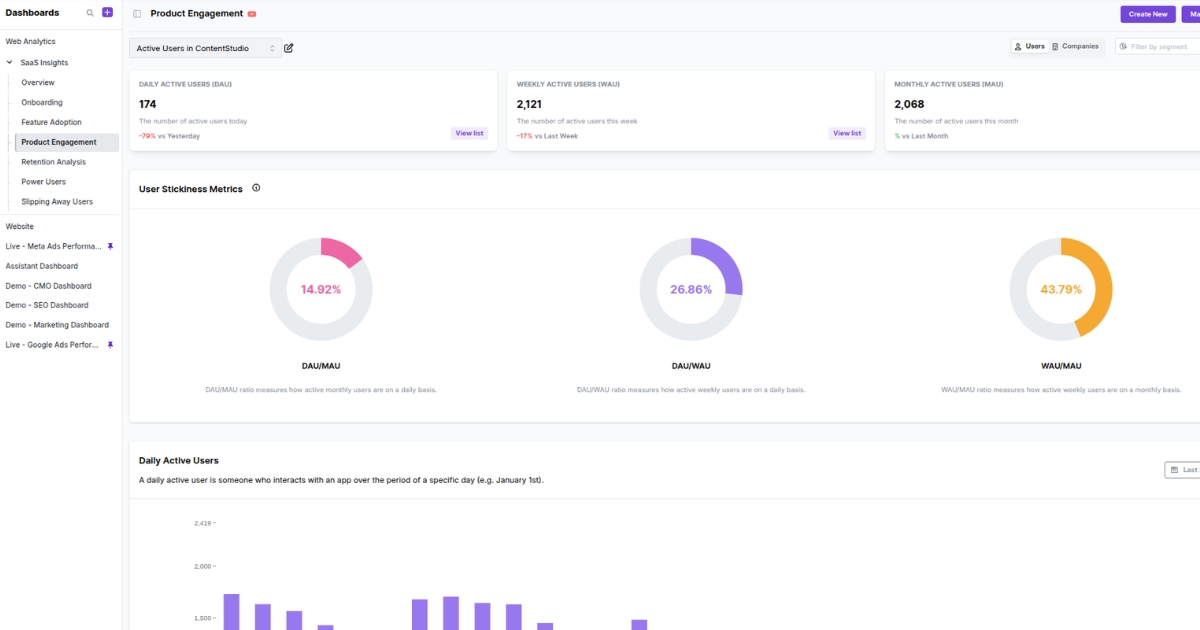
Choosing a SaaS pricing model gets easier when you can see how people actually discover the product, move through it, and decide to buy. That kind of visibility gives pricing decisions a much stronger starting point.
Usermaven is an advanced attribution platform that also gives teams a broader analytics view through funnels, user journeys, website analytics, product analytics, and segmentation. It gives SaaS teams a more complete view of what drives conversion and expansion.
That context is useful when pricing feels uncertain. It helps you judge whether you need a lower-friction entry point, a model that scales with usage, or a clearer path for upgrades as customer needs grow.
The best pricing decisions usually come from a better read on user behavior. That is what makes the analytics side so relevant here. It gives you something stronger than instinct to build on.
Final thoughts!
Choosing a pricing model is more than a calculation of costs and margins. It is a strategic signal that tells the market exactly who your product is for and how confidently you can tie price to value.
That is where better visibility helps. Usermaven helps SaaS teams see which channels bring in high-intent users, which journeys turn into revenue, and which customer segments are worth shaping pricing around. With that view, pricing decisions become easier to ground in real buying behavior.
The best pricing does not need to over-explain itself. It clicks early, holds up over time, and gives customers a reason to keep going.
Ready to see Usermaven in action? Explore the platform or book a demo for a closer look.
FAQs about SaaS pricing models
1. What are the most popular SaaS pricing models?
The most common ones are tiered, per-user, usage-based, freemium, and hybrid. Many B2B SaaS pricing models start with one of these, then evolve as the product and customer base grow.
2. How are SaaS pricing models evolving with AI products?
AI products are pushing more companies toward usage-based, credit-based, and hybrid pricing. That shift is changing pricing models for SaaS because cost and value can both rise faster with AI-driven usage.
3. What is the key principle behind a successful pricing strategy?
The model should match the way customers experience value. Strong pricing SaaS models feel easier to trust when the price makes sense at the point where value becomes clear.
4. Why does predictability matter in SaaS pricing?
Because the predictability of pricing affects trust. Even a flexible model can create friction if customers cannot estimate what they are likely to pay.
5. How should startups approach SaaS pricing models?
Startups should begin with a model that is simple, clear, and easy to test. Early on, the goal is to learn what customers understand, what they are willing to pay for, and where the model starts to support growth.
6. How are enterprise SaaS pricing models usually different?
Enterprise SaaS pricing models usually leave more room for custom pricing, contract flexibility, and sales-led support. They are often built for larger teams, more complex needs, and longer buying cycles.
Updated

Written by
Ryan Mitchell
Marketing Analytics Strategist
Ryan Mitchell is a marketing analytics strategist specializing in campaign measurement, customer journeys, and marketing performance. He writes about analytics, reporting, and data-driven marketing strategies, helping SaaS and B2B teams measure what matters across every stage of the customer journey.
All articles by Ryan →