Every click on your campaign links tells a story.
UTM mistakes decide whether that story shows up clearly in your data or blends into traffic that is hard to interpret.
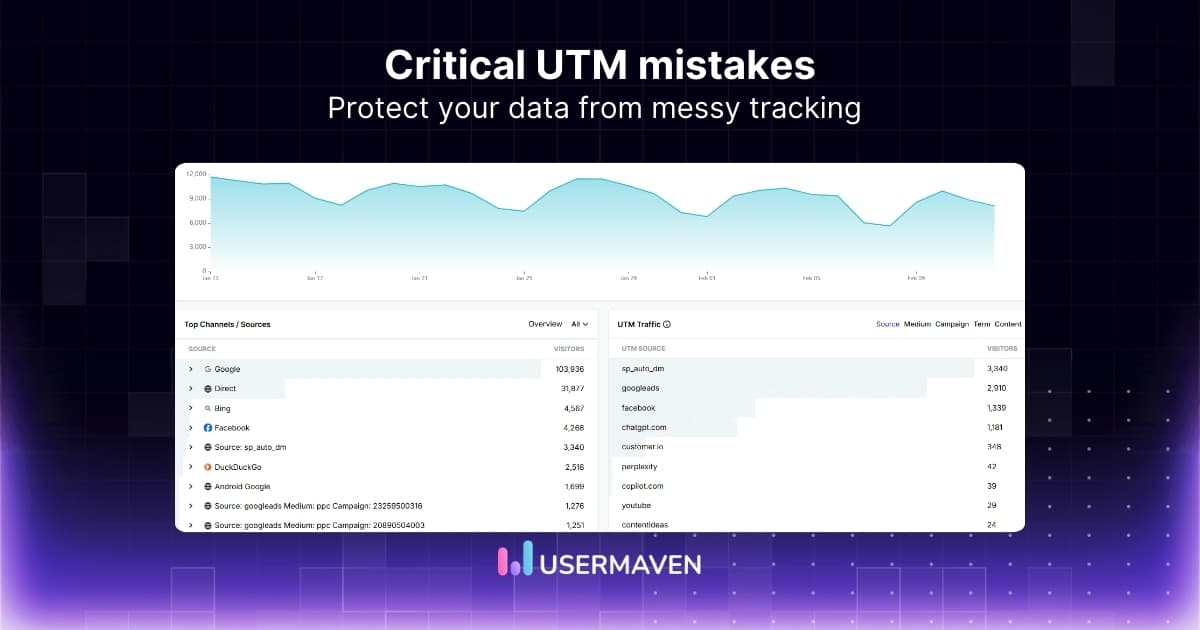
UTM tracking itself is pretty straightforward, but consistency is what makes it powerful. When your tags are structured properly, your website analytics can accurately reflect which channels and campaigns drive real engagement.
In this guide, we will walk through the most common UTM mistakes to avoid and how to fix them with simple, practical steps.
What is UTM tracking?
UTM (Urchin Tracking Module) tracking means adding small text parameters to the end of your URLs so you can see exactly where each visit came from.
The five standard fields are utm_source, utm_medium, utm_campaign, utm_content, and utm_term. Together, they describe which platform sent the click, which channel it used, and what message or keyword sparked interest.
In practice:
- utm_source: who sent the traffic (for example, google, facebook, newsletter tool)
- utm_medium: how it arrived (for example, cpc, email, social, referral)
- utm_campaign: the high‑level campaign name (for example, 2026q2springsale)
- utm_content: the variation or creative (for example, bannera, bluectabutton)
- utm_term: the keyword or search term, mainly for paid search
When someone clicks a tagged link and lands on your site, your analytics tool reads those parameters and stores them with that visit. This makes tracking website visitors more precise, since each session carries clear source information instead of being grouped into broad categories.
Later, you can filter reports by campaign, compare channels, and see which emails, ads, or partnerships actually drove signups and revenue. This clarity is one of the real advantages of using web analytics, especially when you are measuring performance beyond surface-level traffic.
Now that the basics are clear, let’s look at the UTM mistakes you’ll want to avoid.
1. Forgetting to add UTMs altogether
Many campaigns go live with plain links and no parameters at all, which is one of the most expensive UTM tracking mistakes you can make.
When this happens, traffic from email, social, or paid placements appears in your analytics as “direct” or a vague “referral.” This leaves you without insight into which specific push actually brought visitors to your site.
Without these tags, it becomes nearly impossible to compare campaigns, improve your targeting, or defend your marketing spend. That disconnect makes it harder to tie performance back to meaningful website metrics like conversions, signups, or traffic.
The fix is simple: treat UTM tagging as a non-negotiable step for every external link. Implement a short pre-launch checklist to ensure no campaign goes out without tagged URLs. Your process should look like this:
- Build the final URL using your standardized UTM builder
- Paste the tagged link directly into your ad, email, or post
- Click the link in a private window to confirm the page loads correctly, and the UTM string remains intact
Related read: Are you expanding your reach to newer platforms? Check out our guide on cracking Meta Threads analytics with UTM to ensure your social traffic is attributed correctly from day one.
2. Not tagging paid campaigns properly
Paid media is where missing or sloppy tags hurt most, because you pay for every click, yet bad UTM parameters hide which ads actually move revenue.
Without consistent utm_source, utm_medium, and utm_campaign values, your paid traffic becomes fragmented. It might appear as “paid search” in one report and “direct” or “other” in another. Using clean UTMs allows you to look beyond tracking website hits and understand exactly how those visits perform after they land.
You fix this by agreeing on a single standard for all paid channels, sharing it with any agencies, and using a single UTM builder for every ad so that paid search, paid social, and display follow the same pattern.
Website analytics tool for modern marketers & agencies
3. Double UTM tagging
Double tagging occurs when a URL has two sets of UTM parameters, often because someone adds their own tags on top of a link that is already tagged. Analytics tools read the same parameter twice and usually keep the last one, so the click that should be tied to your email might show as a referral from a partner site instead.
This type of hidden error causes strange spikes in channels that did not actually earn the traffic, making your reports hard to trust and adding to the pile of confusing UTM mistakes.
To avoid this:
- Keep one clean source of truth for link creation
- Strip any old parameters before you retag a URL
- Agree with partners on who owns the tags for shared campaigns
4. Forgetting case sensitivity
UTMs are case-sensitive, so these two values are treated differently:
- utm_source=Facebook
- utm_source=facebook
In reports, they’ll show up as two separate sources, even though they refer to the same place.
Over time, these tiny differences fill your channel list with near-duplicates, making it much harder to read the data or aggregate performance. Case drift is one of the quiet UTM mistakes that seem small but build into real noise over months and across teams.
The clean fix is to standardize all parameter values to lowercase and make that rule part of your UTM guide, so anyone building links follows the same simple pattern.
5. Inconsistent naming or spelling
Even when the case is consistent, random naming like fb, facebook, and facebook ads for the same source, or typos, fractures your campaign view.
Each slight variation becomes its own row in analytics, which spreads out conversions that should be grouped together and hides which channel really works. This kind of inconsistency is one of the most common UTM mistakes in growing teams, especially when several people build links independently.
You can avoid this by creating a short naming convention with approved values for source, medium, and high-level campaigns. Make the document easy to find so it’s used whenever someone creates a new URL.
6. Missing key UTM parameters
Sometimes links include only utm_source and leave out utm_medium or utm_campaign. That tells you where a click came from, but not how or why.
In analytics, this gap makes it hard to categorize visits, for example:
- Paid search
- Organic social
- Newsletter
You also can’t roll results up at the campaign level. The result is shallow channel reporting and limited attribution analysis, even when links are tagged.
A simple rule helps: every external link must at least include source, medium, and campaign, and you reserve utm_content and utm_term for when you need extra detail, such as ad variations or keywords.
7. No defined UTM governance process
A common mistake is treating UTM creation as an individual task rather than a team-wide standard. Without a shared set of rules or a designated owner, tracking quickly becomes inconsistent.
When team members improvise their own tags, they often repeat the same errors made in previous campaigns. This lack of data governance forces you to spend more time cleaning up messy reports than actually analyzing them.
To avoid this problem, you should establish a clear process for your team:
- Create a brief UTM playbook that defines your required parameters and approved values
- Document a clear workflow for requesting new values when needed
- Assign one person to maintain this guide and oversee the central UTM building tool
Implementing this light process ensures that all new campaigns remain organized and consistent without the need for constant back-and-forth communication.
8. Relying only on Google Ads auto-tagging
Auto‑tagging in Google Ads is very helpful, but if you rely on it alone, you are betting all your attribution on a single parameter called gclid.
Browser privacy settings, redirects, or some site configurations can strip that value before a session reaches your analytics tool, so that a paid click is counted as direct traffic.
When this happens at scale, you might think branded search is weak while direct looks strong, when in truth, you are just seeing UTM errors instead of real behavior.
The safer practice is to keep auto‑tagging on while also adding manual UTMs that match your standards, so if the gclid gets dropped, your backup tags still keep the click tied to google and cpc.
9. Overriding Google auto-tagging
The opposite problem occurs when manual UTMs override Google auto‑tagging, removing the rich detail gclid can provide to analytics tools.
If you switch on the setting that lets manual tags win, you lose access to keyword‑level insights, cost data, and other fields that feed smart bidding and deeper analysis. That not only hurts reporting, but it can also slow optimization loops in Google Ads because conversions are not tied back in the most precise way.
To avoid this, keep auto‑tagging enabled, leave the override option off in GA4, and use manual UTMs as a supporting layer rather than a replacement.
10. Tagging internal links with UTMs
Adding UTM parameters to internal banners, menu links, or buttons is a significant error that compromises your analytics.
If a visitor arrives from an external source (for example, Google or Facebook) and then clicks an internal link with UTMs, the original source gets overwritten. This can start a new session that incorrectly labels your own website as the traffic origin.
Instead of seeing which external campaign brought the user to your site, your reports will incorrectly credit your internal promotions. This disrupts accurate lead source tracking and makes acquisition reporting unreliable.
The right approach is simple: never use UTMs on internal links; instead, use event tracking or custom dimensions to measure clicks on banners or navigation.
11. Syntax errors in UTM structure
Even when your naming rules are perfect, tiny syntax errors in the URL can break tracking, e.g., missing the first question mark or using the wrong character between parameters.
A common mistake is appending utm_source with an ampersand (&) on a URL that doesn’t already have a query string. That makes the parameters part of the path and can trigger a 404.
Other errors include:
- Using two question marks (?)
- Forgetting the equals sign (=)
In those cases, analytics tools may ignore the parameters or treat each broken version as a separate page.
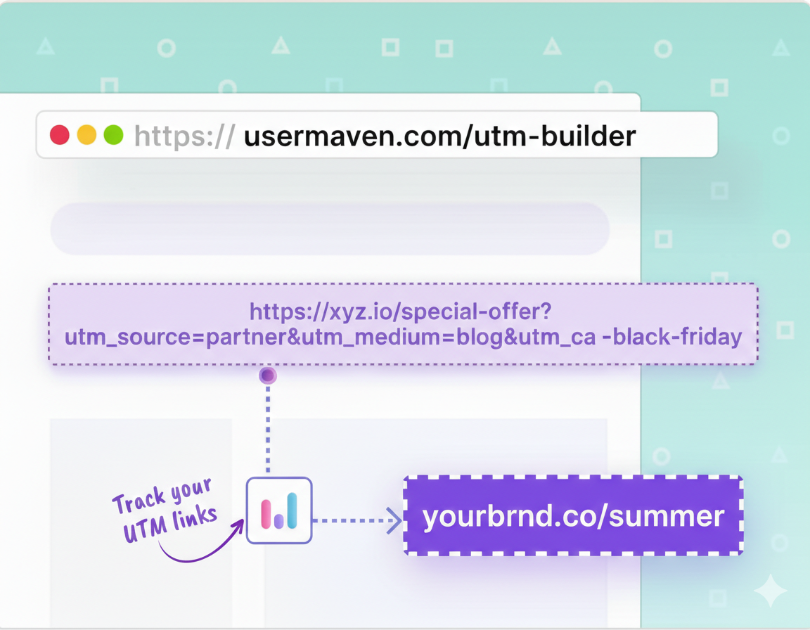
You reduce these UTM mistakes by building links with a generator such as Usermaven’s free UTM builder, which assembles the query string correctly every time and gives you a single place to review it.
12. Using vague campaign names
Names like launch, promo1, or test_email may feel fast to type, but they give you little context when you look back at reports in three months.
If several teams reuse generic labels, reports quickly lose context, making it tough to compare results or replicate a win. Clear campaign naming not only supports attribution, but also analysis tied to engagement goals such as enhancing average time on page or improving content performance across campaigns.
A better habit is to use structured names that include the timing, channel, and theme. For example, a tag like 2026_q2_spring_sale_search ensures the campaign is instantly identifiable. You should also document these naming conventions in your UTM guide to maintain consistency across the entire team.
13. Breaking pages while adding UTMs
Sometimes the problem is not the UTM values themselves but how they are attached, which can send people to broken URLs instead of the intended landing page. This happens when someone pastes parameters into the middle of an existing path, removes a slash by mistake, or adds an extra character that the server reads as part of the page name.
If the visitor sees a 404 error or the wrong content, you lose the conversion, and your campaign data shows a click with no meaningful session behind it.
You can prevent this by pasting the base URL into a builder first, letting it attach the query string at the end, and then testing the finished link in a private browser window before any ad or email goes live.
14. Using non-standard UTM values
Most analytics tools group traffic into channels based on specific patterns. Using non-standard UTM values can confuse these rules, causing your traffic to be misclassified.
For example, if you tag paid search clicks with utm_medium=paid_ads instead of cpc or ppc, your analytics tool may categorize them as “Other” rather than “Paid Search.”
Over time, these inconsistencies break your channel reports. It may appear that one category is shrinking while another grows, even though your actual media strategy remains the same. In complex enterprise web analytics setups where multiple stakeholders rely on standardized tracking, these non-standard values lead to conflicting performance reports across teams.
To avoid this mistake, review the default channel grouping rules in your primary analytics platform. Ensure your utm_source and utm_medium values align exactly with what the tool expects to see for each channel.
15. Not using utm_id when needed
For many non-Google ad platforms, the utm_id serves as a stable campaign identifier that links your cost data directly to on-site behavior. If you skip this field, you may still see traffic and conversions, but matching that performance to your actual spend in exports or business intelligence tools becomes much harder.
This is a quiet mistake that limits the accuracy of your ROAS reporting, especially as you scale budgets across numerous campaigns. Without a unique ID to serve as a “key,” your financial and traffic data remain in separate silos.
To fix this, assign a consistent utm_id to each campaign during the planning phase. Reuse this ID in your media-buying tools to seamlessly merge cost and performance data into a single, unified report.
16. Not using utm_source_platform for clarity
Modern marketing often involves running the same campaign across multiple platforms, such as Facebook and Instagram, using the same ad manager. If you do not use the utm_source_platform parameter, your analytics may only show “social” or “email” as the source. This hides the specific vendor or management tool that actually delivered the click.
This lack of detail makes it difficult to decide where to allocate your budget, even though the data is available in your ad software.
By setting utm_source_platform to values such as meta_ads_manager, Usermaven_email_sender, or other tools you rely on, you gain a clear view of which specific tools are driving results. This allows you to track vendor performance more clearly with a vendor-level breakdown in your website analytics dashboard, without cluttering your primary source and medium fields.
17. Stripping UTMs in Tag Manager or scripts
Some teams use custom scripts or Google Tag Manager to automatically “clean” URLs. The goal is to remove tracking parameters from the address bar so the link looks shorter and cleaner for the user to copy and share. However, if these scripts run too early, they can strip the UTM parameters before your analytics tools have a chance to record them.
From the visitor’s perspective, the page loads perfectly. Inside your reports, however, these sessions appear as “direct” or “undefined” because the campaign data was deleted before it could be tracked.
This is one of the harder UTM mistakes to spot because developers believe they are improving the user experience, while marketers see only missing attribution.
To fix this, you should review any code that rewrites or tidies URLs. Ensure this logic only runs after your analytics tags have finished sending data. Alternatively, you can configure your site to capture UTM values in a cookie or the data layer before any cleanup script runs.
18. Redirects that drop UTM parameters
Redirects between domains, subdomains, or vanity URLs can quietly drop UTM parameters, even when the final landing page loads perfectly. This often happens during site migrations or when short links redirect traffic to a long URL, and the redirect rules fail to pass the query string to the destination. In reports, that whole slice of traffic shows up as direct or just as traffic to the final host, with no hint of the original campaign that paid for the click.
To avoid this UTM mistake, work with your development team to set up redirects that preserve the full URL, including parameters, and then test each major path before you share it widely.
Related: How to check traffic on any site like a pro
19. Not testing before launch
The last and perhaps most avoidable issue is sending a campaign live without ever clicking the final tagged links yourself. A tiny paste error, typo, or wrong parameter value can then run for days or weeks, filling reports with bad data before anyone notices a problem. That kind of UTM mistake is frustrating because a thirty‑second check would have caught it and saved a lot of cleanup work later.
Build a quick pre‑launch checklist: open each main link in a private window, confirm the page loads, and verify that the full UTM string remains visible in the address bar.
How Usermaven prevents UTM mistakes and keeps data accurate
Clean UTM habits matter, but the right analytics platform makes consistency much easier
Usermaven is an AI-powered analytics and attribution platform designed to simplify this process and support a scalable website analytics strategy across growing teams.
Instead of juggling spreadsheets and hoping every teammate follows the rules, you can use a guided builder and rich attribution reports in one place. That mix keeps your marketing attribution data clear while reducing the time you spend hunting for broken links.
A guided UTM builder that reduces manual errors
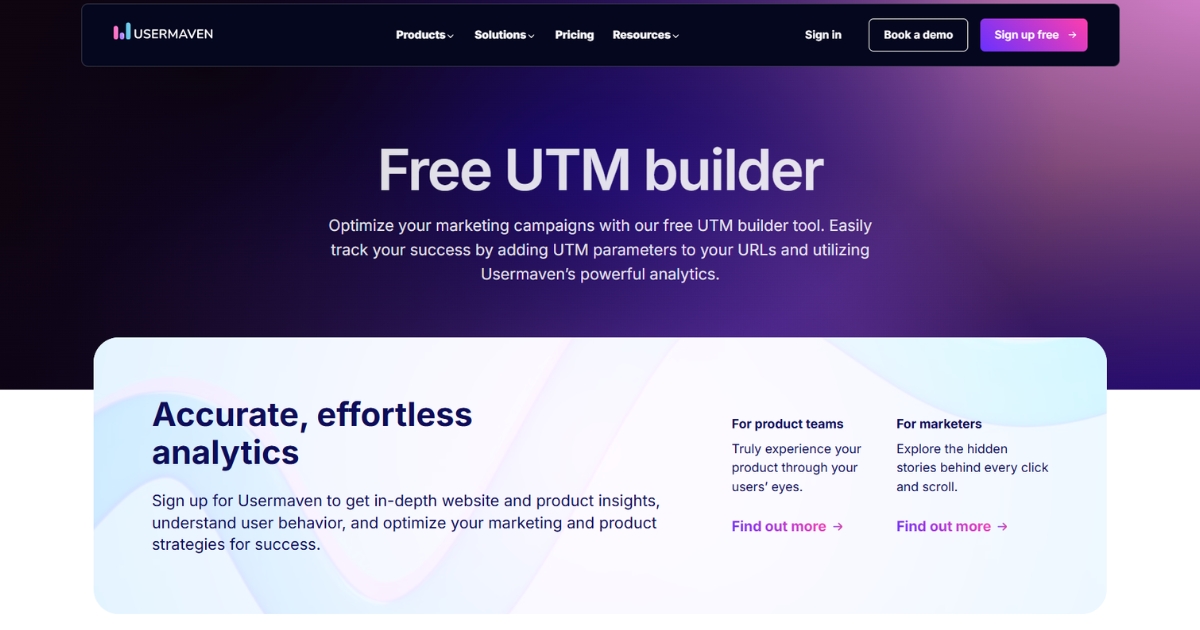
Usermaven includes a free UTM builder designed to prevent common tagging mistakes before links go live.
It helps you:
- Fill in required fields like source, medium, and campaign every time
- Maintain consistent lowercase naming
- Reuse existing values instead of creating duplicates
- Avoid incomplete or messy campaign structures
This removes a large share of day-to-day UTM mistakes at the source.
Attribution reports that make bad tags obvious
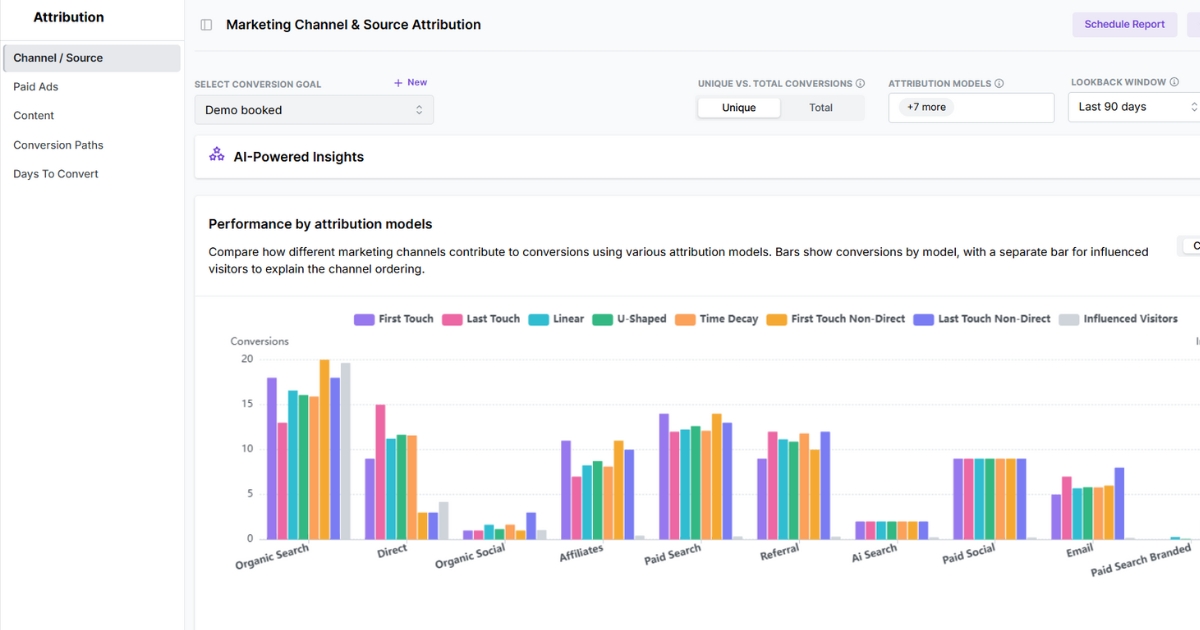
Once traffic starts flowing, Usermaven’s multi-touch attribution and user-level tracking connect every interaction into one clear journey. You can measure acquisition impact alongside behavioral signals, such as scroll depth, to provide deeper context for campaign performance.
That means:
- You see how channels work together and not just last-click wins
- Inconsistent or incorrect tags stand out quickly
- Campaign performance ties directly to signups and revenue
When UTM data is structured properly, these insights become much easier to trust.
Accurate tracking beyond UTMs
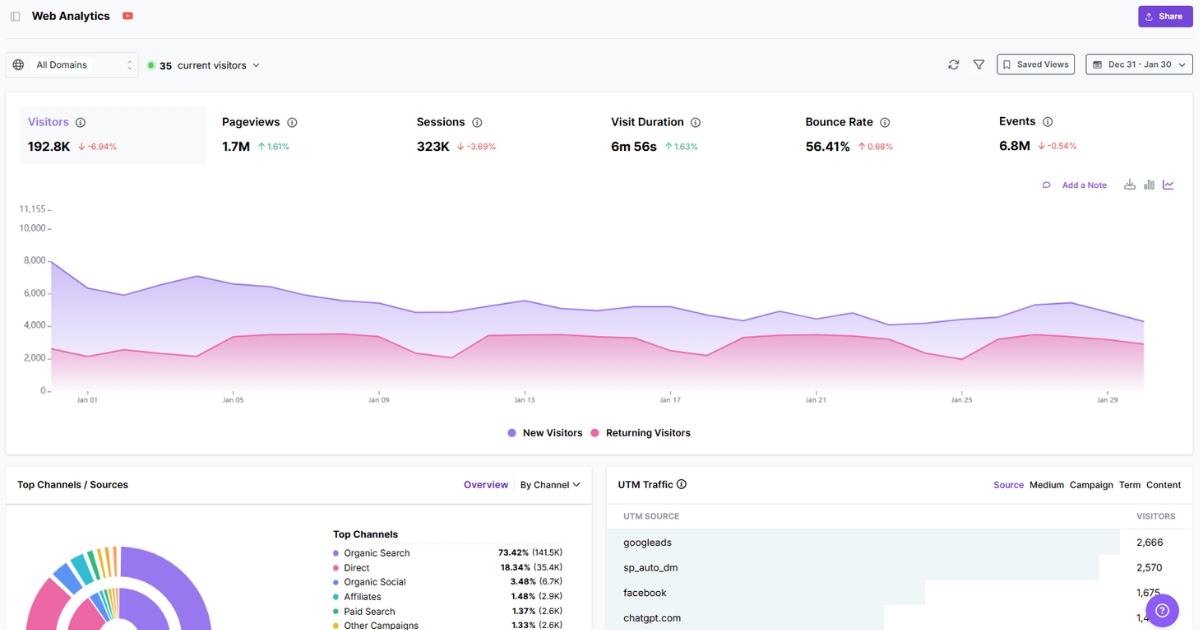
Usermaven also strengthens your data foundation with:
- No-code event tracking
- Auto-captured and custom events
- Cookieless tracking
- Real-time dashboards and AI-assisted insights
You can track internal clicks and product actions without adding UTMs, keeping attribution clean while still capturing rich behavior data.
Wrapping up
UTM tracking is simple in theory, but avoiding common UTM mistakes is what keeps your data clean, reliable, and decision-ready.
When your tagging is consistent and structured, you can clearly see which campaigns, channels, and creatives are driving real results, without second-guessing your reports.
That’s where Usermaven makes the difference. As ad attribution software with strong website analytics, it helps you validate UTM tracking, uncover accurate campaign insights, and confidently connect traffic to conversions.
Ready to see Usermaven in action? Explore the platform or book a demo for a closer look.
FAQs
1. What are common UTM mistakes?
The most frequent errors include using UTM parameters in internal links, inconsistent capitalization (e.g., “Facebook” vs. “facebook”), and using spaces or special characters. These mistakes fragment your data and make it difficult to get an accurate view of your campaign performance.
2. How accurate is UTM tracking?
UTM tracking is highly reliable for identifying the context of a click, such as the specific ad or email used. However, it is not 100% perfect; data can be lost if a user has strict browser privacy settings, uses an ad blocker, or if a website redirect strips parameters before they are recorded.
3. What does UTM stand for?
UTM stands for Urchin Tracking Module. The name comes from Urchin Software Corporation, the company that developed this tracking system before it was acquired by Google in 2005, laying the foundation for Google Analytics.
4. What is the difference between utm_source and utm_medium?
utm_source identifies the specific platform the traffic came from, such as Google or LinkedIn. utm_medium identifies the channel type, such as cpc, email, or social. For a paid LinkedIn ad, you would use utm_source=linkedin and utm_medium=cpc. Keeping these consistent ensures your traffic is correctly grouped in your analytics reports.
5. What are the 5 standard UTMs?
The five standard parameters are:
– utm_source: The platform (e.g., google, newsletter).
– utm_medium: The channel type (e.g., cpc, email, social).
– utm_campaign: The specific promotion name (e.g., summer_sale).
– utm_term: The paid keyword used.
– utm_content: The specific link or ad creative clicked.
6. What is a UTM example?
Updated

Written by
Ryan Mitchell
Marketing Analytics Strategist
Ryan Mitchell is a marketing analytics strategist specializing in campaign measurement, customer journeys, and marketing performance. He writes about analytics, reporting, and data-driven marketing strategies, helping SaaS and B2B teams measure what matters across every stage of the customer journey.
All articles by Ryan →