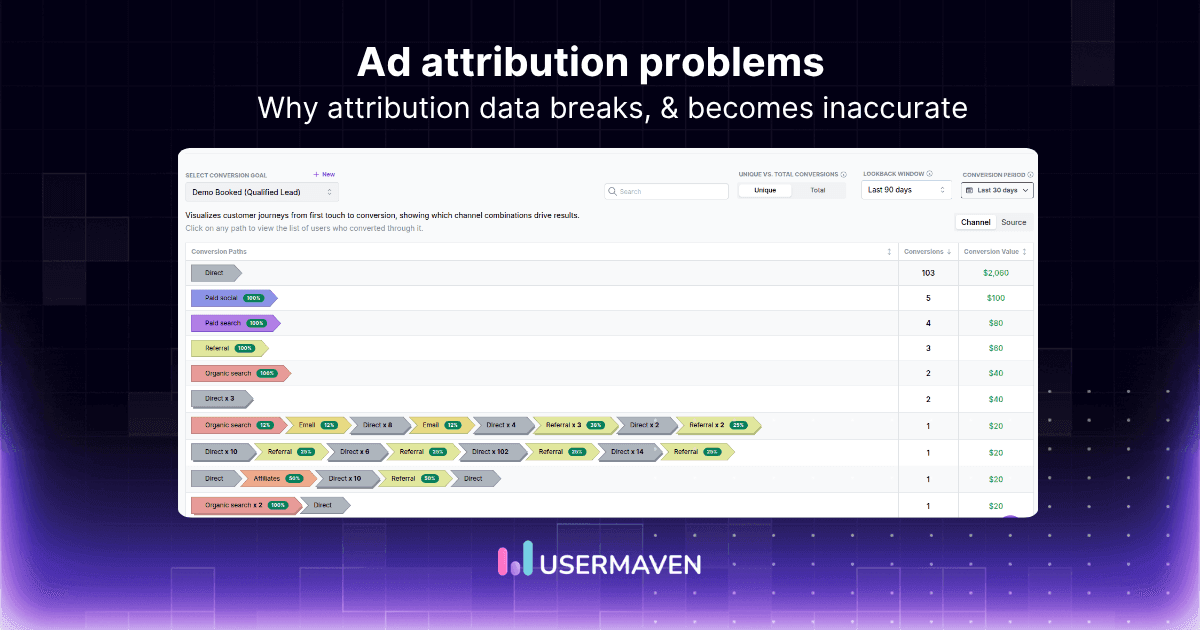
More than 70% of website visitors leave without taking any action. The real challenge is understanding what users actually do once they arrive.
User behavior tracking helps marketing, product, and growth teams see how people interact with their websites or apps. Instead of guessing why users drop off, teams can analyze real actions such as clicks, scroll behavior, navigation paths, and feature usage.
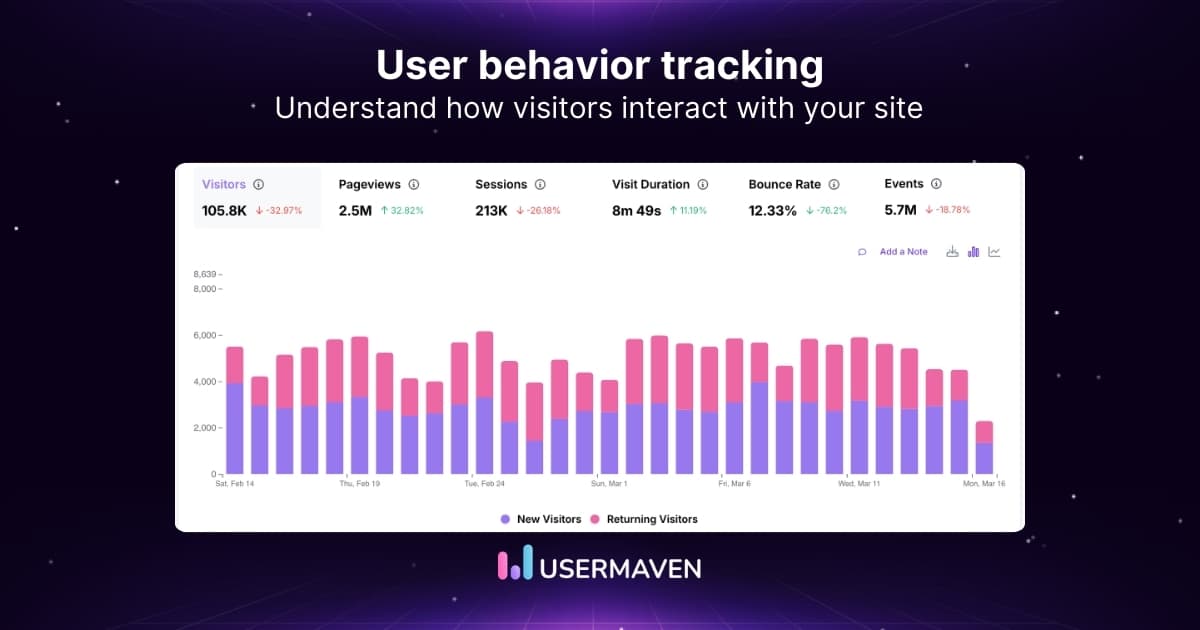
These insights reveal where users engage, where they struggle, and what drives conversions. Here, we’ll explore how user behavior tracking works, which metrics matter most, and how teams can use behavioral insights to improve marketing performance and product growth.
What is user behavior tracking?
User behavior tracking is the process of collecting and analyzing how users interact with a website, app, or digital product. Instead of only measuring traffic or pageviews, behavioral tracking focuses on the actions users take during their sessions.
These actions can include:
- Clicking buttons or links
- Scrolling through content
- Navigating between pages
- Submitting forms or completing purchases
- Using specific product features
By tracking these interactions, businesses can analyze user behavior and understand how people move through a digital experience. This process is often referred to as user behaviour monitoring or customer behavior tracking, because it reveals patterns in how visitors engage with content, products, and marketing campaigns.
Why user behavior tracking matters
User behavior tracking shows what users actually do on your website or product, not just how many people visit.
Key benefits include:
- Identify friction points
Discover where users abandon pages, forms, or conversion funnels. - Improve conversion funnels
Understand which steps in the user journey cause drop-offs. - Optimize marketing campaigns
Analyze how visitors engage with landing pages, ads, and content. - Deliver personalized experiences
Use behavioral insights to tailor content, offers, or product recommendations. - Support data-driven decisions
Replace assumptions with real user interaction data.
Visualize & optimize
user journeys with Usermaven
Types of user behavior data you can track
User behavior tracking can capture many types of interactions that reveal how visitors engage with your website or product.
Common types of user behavior data include:
- Click behavior
Tracks where users click on buttons, links, or navigation elements. - Navigation behavior
Shows the pages users visit and the order they follow through the site. - Engagement behavior
Measures actions such as scroll depth, time spent on pages, and content interactions. - Conversion behavior
Records key actions like sign-ups, purchases, downloads, or form submissions. - Product usage behavior
Tracks how users interact with features inside a product or application.
How to track and analyze user behavior in 5 steps
Collecting behavioral data is only useful if it leads to meaningful improvements. A structured approach helps teams move from raw interaction data to actionable insights that improve both product experience and marketing performance.
Here’s a simple 5-step process to track and analyze user behavior effectively.
1. Track key user events automatically
The first step is capturing the interactions that matter most.
Modern analytics platforms can automatically track actions such as:
- Page visits
- Button clicks
- Form submissions
- Feature usage
- Scroll depth
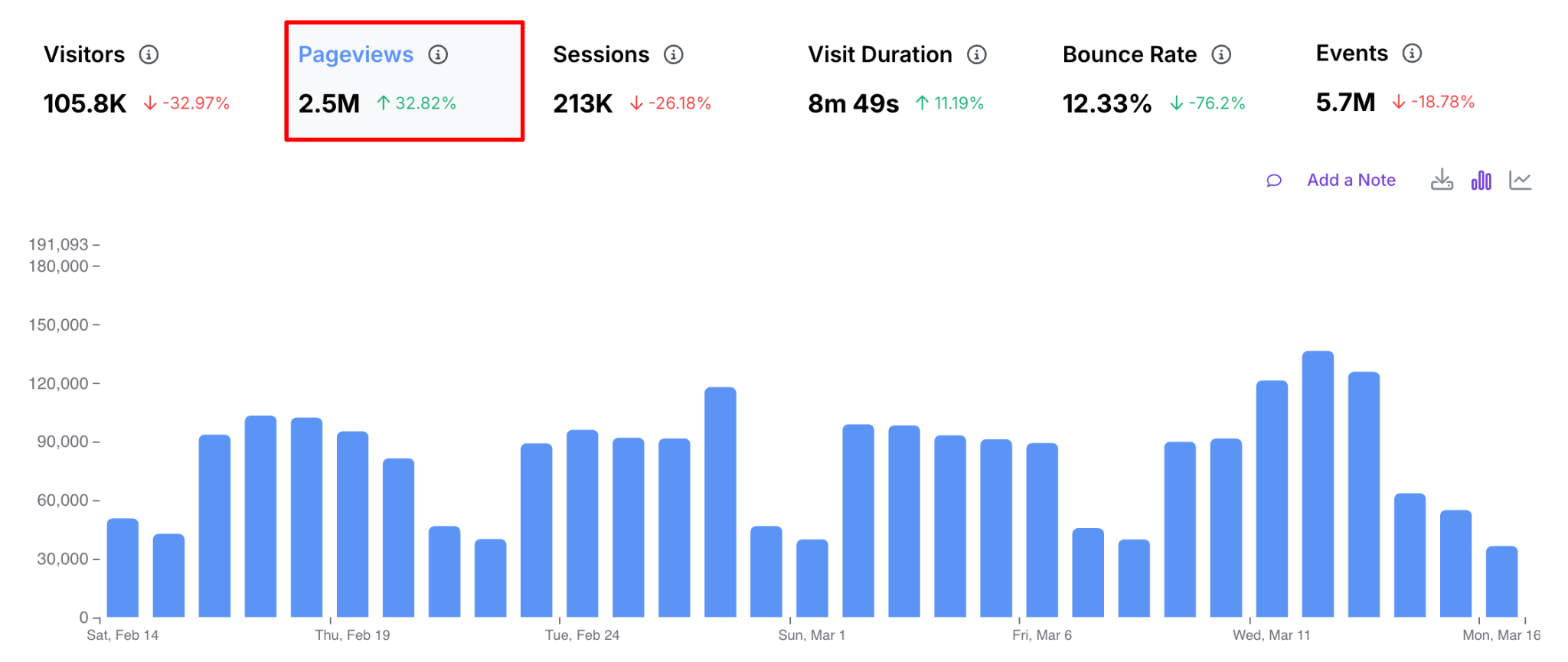
Automatic event tracking reduces the need for manual setup and ensures that teams collect behavioral data consistently across their website or product.
This creates a reliable dataset for understanding how users interact with different pages, campaigns, and product features.
2. Build funnels to identify conversion drop-offs
Once events are tracked, the next step is mapping them into conversion funnels.
Funnels help teams visualize how users move through key journeys, such as:
- Visiting a landing page
- Signing up for an account
- Activating a feature
- Completing a purchase
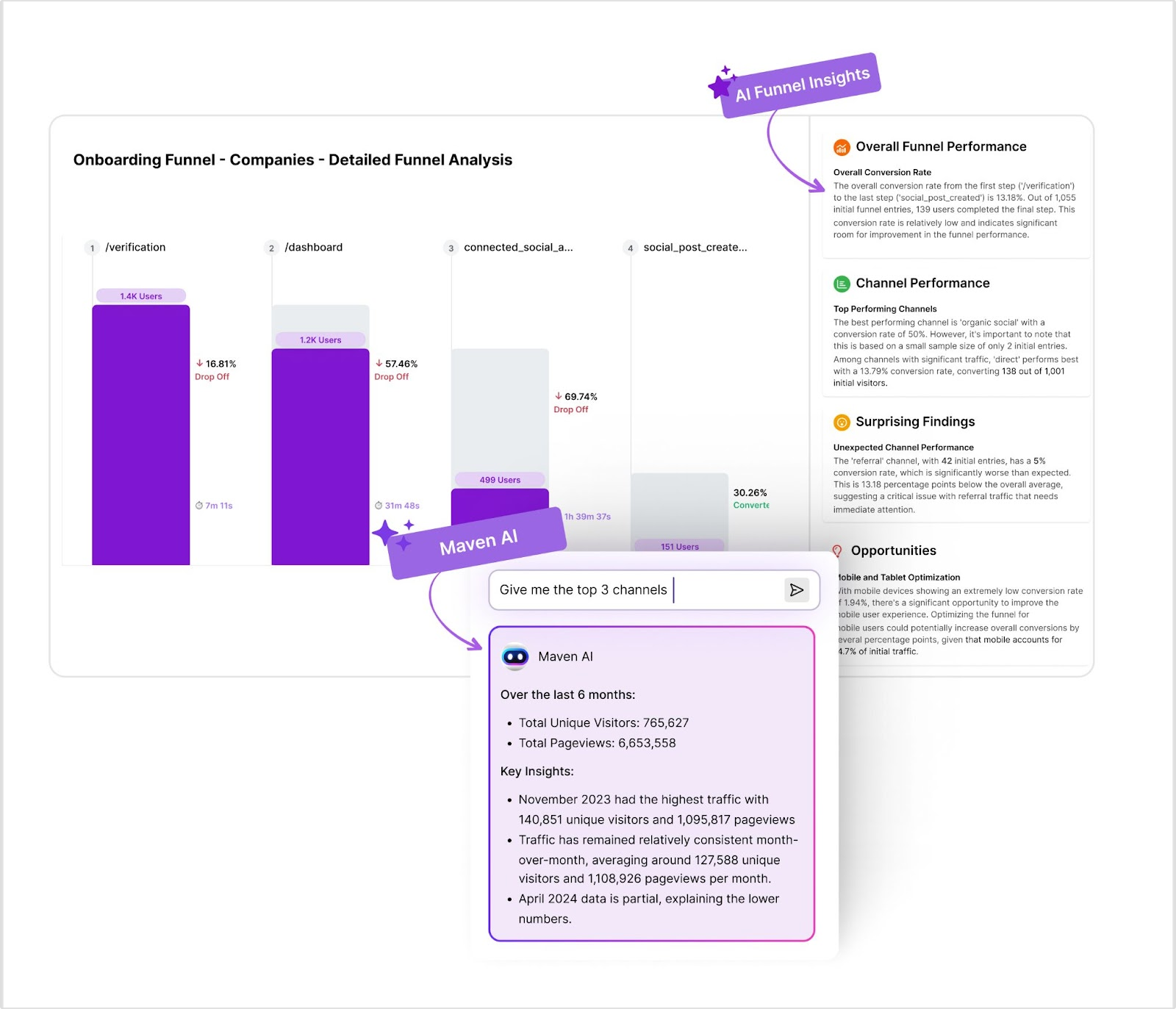
By analyzing where users drop off in these flows, teams can quickly identify friction points and optimize the steps that impact conversions the most.
3. Segment users based on behavior
Not all users behave the same way. Behavioral segmentation helps teams analyze how different groups interact with their product or marketing campaigns.
Users can be segmented by:
- Acquisition channel
- Engagement level
- Feature usage
- Lifecycle stage
- Device or location
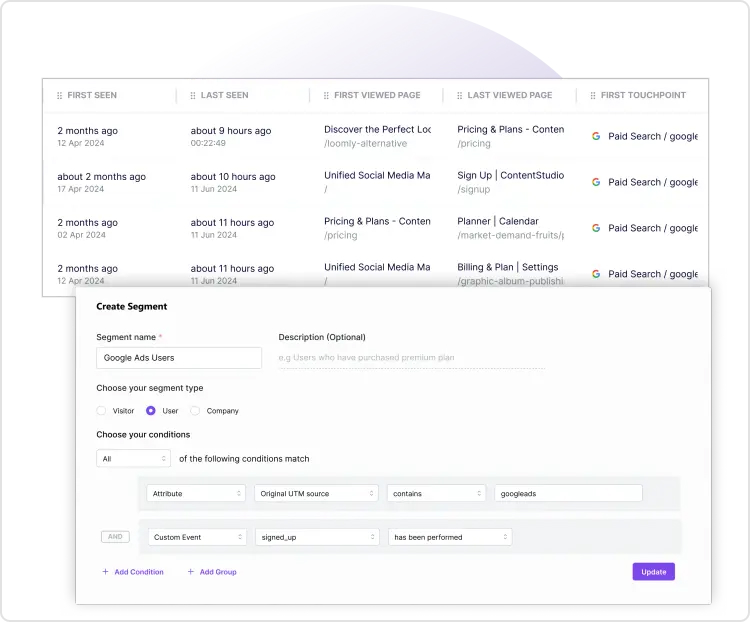
This segmentation makes it easier to deliver personalization for each visitor, allowing marketing and product teams to tailor experiences, recommendations, and campaigns based on real user behavior.
4. Analyze user journeys and engagement patterns
User journey analysis reveals how visitors navigate through a website or product before completing an action.
Behavior analytics tools allow teams to analyze:
- Page navigation paths
- Content engagement
- Feature adoption
- Cross-device behavior
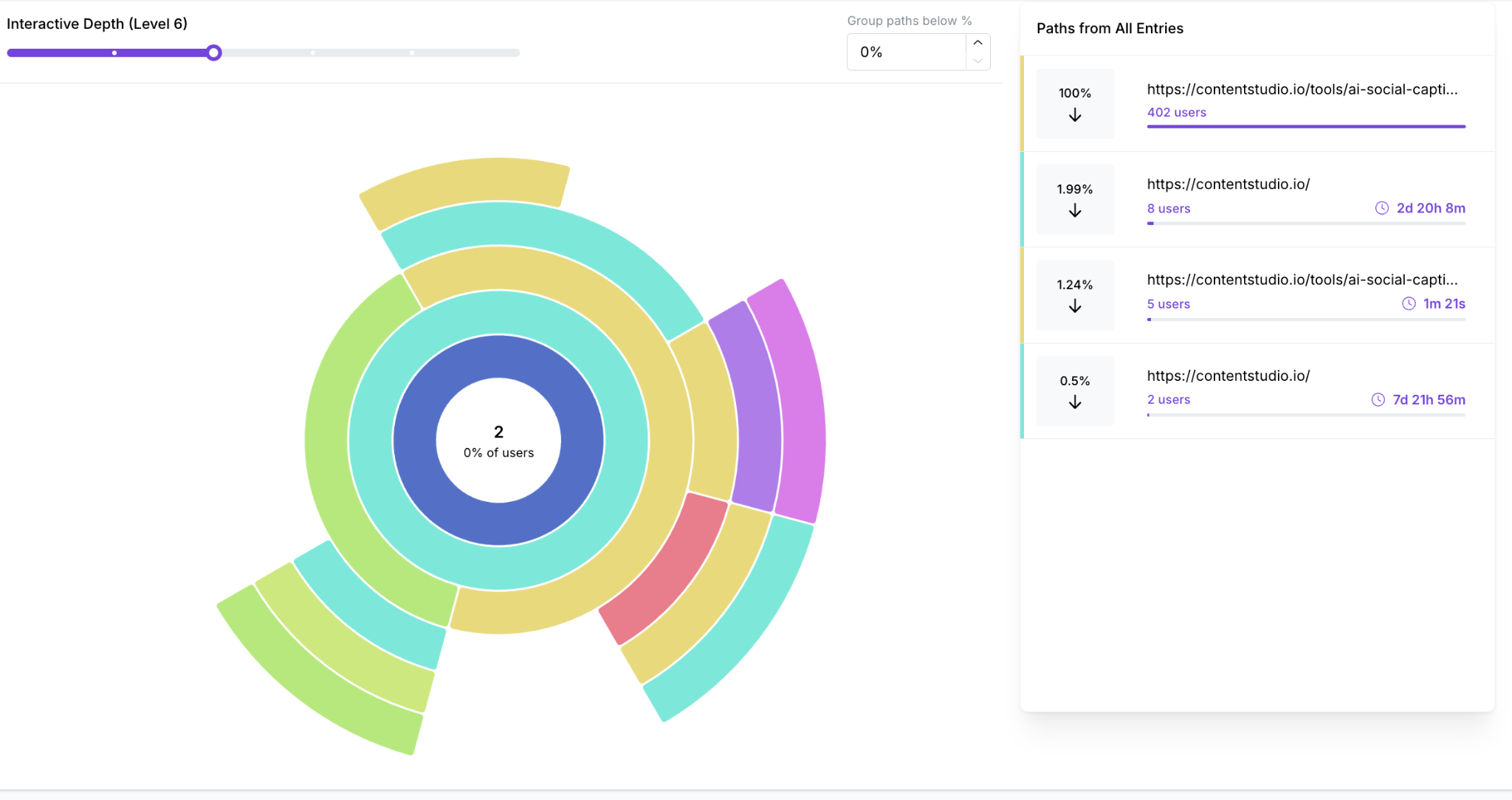
These insights help identify which touchpoints influence conversions and where users encounter obstacles in the journey. For teams connecting behavioral data with campaign outcomes, a marketing attribution tool can make those conversion paths easier to understand.
5. Use insights to optimize experiences
The final step is turning behavioral insights into improvements.
Teams can use the collected data to:
- Improve landing pages and onboarding flows
- Optimize marketing campaigns and messaging
- Refine product features based on usage patterns
- Test new variations through experimentation
When behavior tracking is integrated into regular decision-making, teams can continuously improve user experience and drive better engagement, retention, and conversions.
Key metrics for user behavior tracking
Tracking user behavior becomes more valuable when teams focus on the right metrics. These metrics help marketers, product owners, and growth teams analyze how users interact with their websites or products.
Important user behavior metrics include:
- Session duration
- Pages per session
- Scroll depth
- Click interactions
- Conversion rate
- Funnel drop-off rate
- conversion path analysis
- Feature adoption rate
- Repeat visits
- Customer lifetime value (CLV)
- Churn rate
- Bounce rate
- Exit rate
Setting up behavior analytics for marketing improvements
To effectively track user behavior, businesses need a structured setup that ensures accurate data collection and meaningful insights.
Follow these key steps to implement behavior analytics:
1. Choose the right analytics tool
Select a behavior tracking platform that can automatically capture user interactions such as clicks, page views, and conversions while providing clear reporting and visualization.
2. Define key events and goals
Identify the most important user actions you want to track, such as sign-ups, purchases, feature usage, or form submissions.
3. Set up event tracking
Configure event tracking to record specific interactions across your website or product so you can monitor how users engage with different elements.
4. Build conversion funnels
Create funnels that map the steps users take toward important goals, helping you identify drop-offs and friction points.
5. Validate and monitor data
Regularly review tracking data to ensure events are recorded correctly and insights remain accurate.
Once properly configured, behavior analytics provides a reliable foundation for analyzing user behavior and improving marketing and product performance.
Popular user behavior tracking tools
Several analytics platforms help teams monitor and analyze how users interact with websites and digital products. Below are some widely used user behavior tracking software.
Usermaven
Usermaven helps teams track user behavior across websites and digital products while keeping implementation simple. It automatically captures user interactions and turns them into actionable insights without requiring complex setup.
Key capabilities include:
- Automatic event tracking to capture user interactions without manual configuration
- Behavior-based segmentation to analyze how different audiences engage with your product
- Funnel and journey analysis to identify where users drop off or convert
- Retention and engagement analytics to understand long-term user behavior
- Privacy-friendly tracking with cookieless data collection
Other tools used for user behavior tracking
- Contentsquare
- FullStory
- Mixpanel
- Pendo
- Hotjar
- Lucky Orange
- VWO
- Smartlook
- Whatfix
- Microsoft Clarity
- Crazy Egg
- Inspectlet
- Usersnap
- Userpilot
If you’d like to explore these platforms in detail and compare their features, check out our complete guide on user behavior tracking tools.
Conclusion
Understanding how users interact with your website or product is essential for improving digital experiences. By tracking user behavior, businesses can uncover engagement patterns, identify friction points in the user journey, and make more informed decisions based on real interaction data.
Usermaven helps turn these behavioral insights into actionable improvements. As a leading website analytics tool, it enables teams to track user behavior, analyze engagement patterns, and understand how visitors move through conversion funnels.
Want to see how behavioral insights can improve your marketing and product decisions?
Ready to see Usermaven in action? Explore the platform or book a demo for a closer look.
Gain deeper insights with
360° view of your customers
FAQs
1. What types of businesses benefit most from user behavior tracking?
User behavior tracking is useful for any business that relies on digital interactions with customers. SaaS companies, ecommerce brands, marketplaces, and media platforms often benefit the most because they depend on user engagement and conversions. By analyzing behavioral data, these businesses can improve user journeys, optimize marketing campaigns, and enhance product experiences.
2. What is the difference between user behavior tracking and web analytics?
Web analytics focuses primarily on high-level metrics such as traffic sources, pageviews, and sessions. User behavior tracking goes deeper by analyzing how users interact with individual elements like buttons, forms, navigation paths, and product features. This detailed insight helps teams understand why users behave a certain way rather than just measuring overall traffic.
3. What data is typically collected in user behavior tracking?
User behavior tracking tools commonly collect interaction data such as page visits, click activity, scroll depth, feature usage, navigation paths, and conversion events. This data helps businesses understand how users engage with their website or product and identify patterns that influence engagement and conversions.
4. How can teams use behavior tracking to improve user experience?
Behavior tracking helps identify usability issues, confusing navigation paths, or friction points in key workflows. By analyzing engagement metrics and user journeys, teams can redesign pages, simplify onboarding processes, or improve product features to create a smoother user experience.
5. Is user behavior tracking compliant with privacy regulations?
User behavior tracking can be implemented in a privacy-compliant way when businesses follow regulations such as GDPR and CCPA. Many analytics tools now offer cookieless tracking, anonymized data collection, and consent management features to ensure that user privacy is respected while still providing valuable insights.
Updated

Written by
Imrana Essa
SaaS Marketing Lead
Imrana Essa is a marketing lead and content strategist with 8+ years of experience creating and leading content for B2B and SaaS brands. She specializes in marketing analytics, attribution, content strategy, and organic growth, translating complex marketing concepts into clear, actionable insights. Her work focuses on helping marketers understand performance, make data-informed decisions, and build strategies that contribute to sustainable growth.
All articles by Imrana →