

Measurement Trust Center
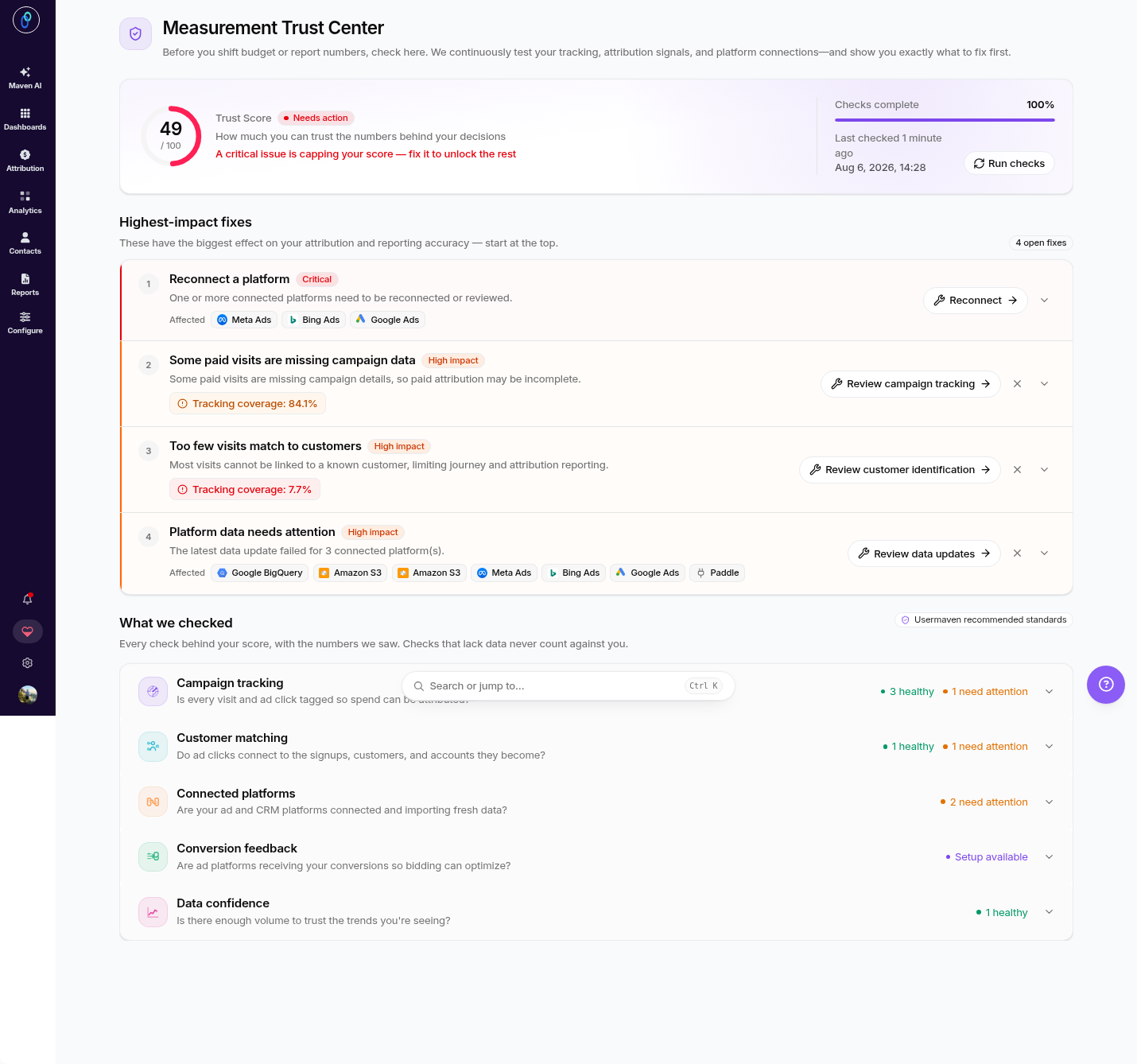
The Measurement Trust Center gives you a single, clear view of how trustworthy and complete your data is. It continuously checks your measurement setup, campaign tracking, customer matching, connected platforms, conversion feedback, and data confidence, then surfaces the highest-impact fixes so you know exactly what to address for reliable reporting and attribution.
How to access the Measurement Trust Center
Log in to your Usermaven workspace.
Click Data Health in the top-right navigation (next to Workspace Settings).
You'll land on the Measurement Trust Center overview.
What you'll see
Trust Score overview
At the top of the page, you'll see your overall Trust Score along with a Run checks button, which lets you re-run all data-health checks on demand.
Highest-impact fixes
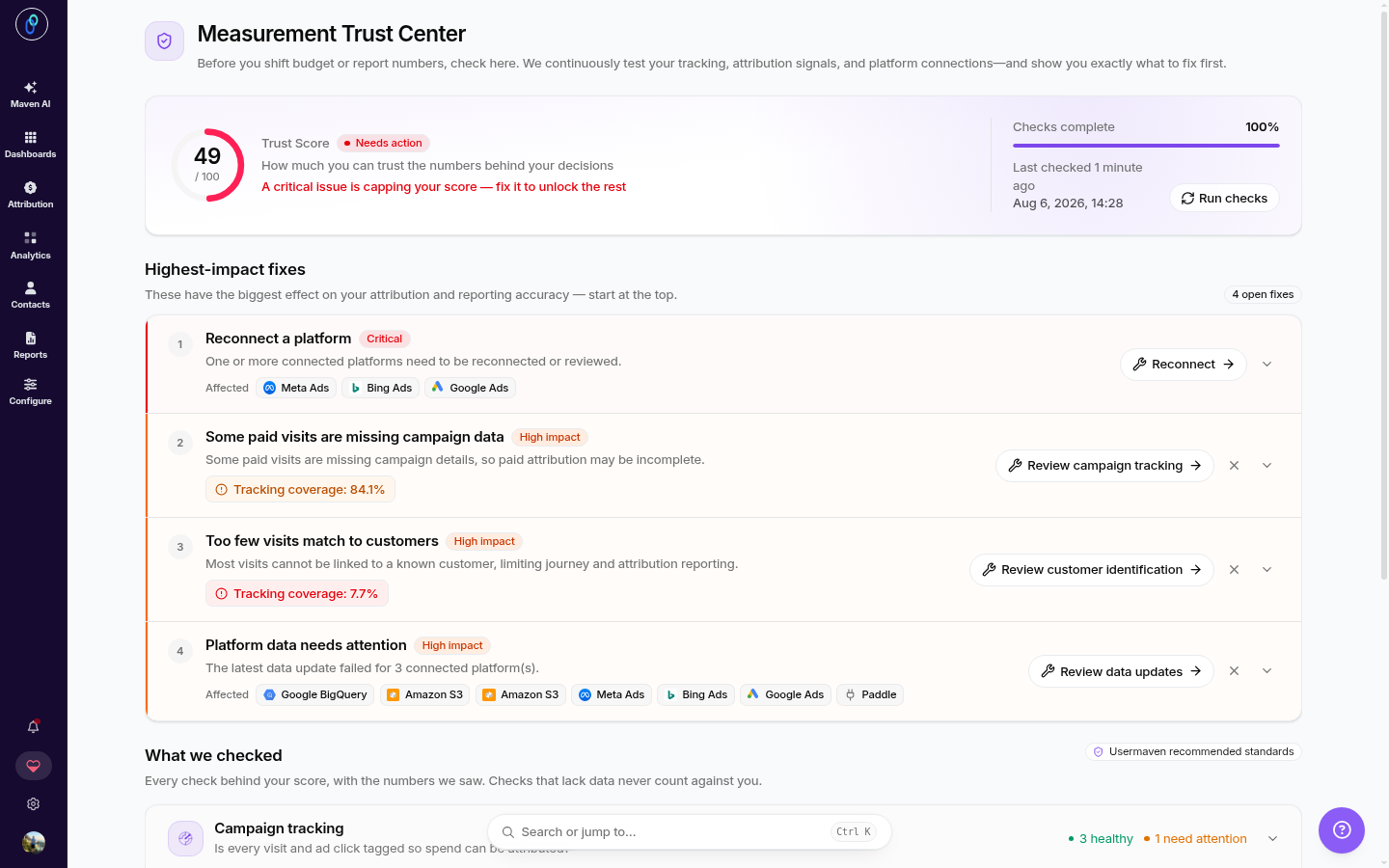
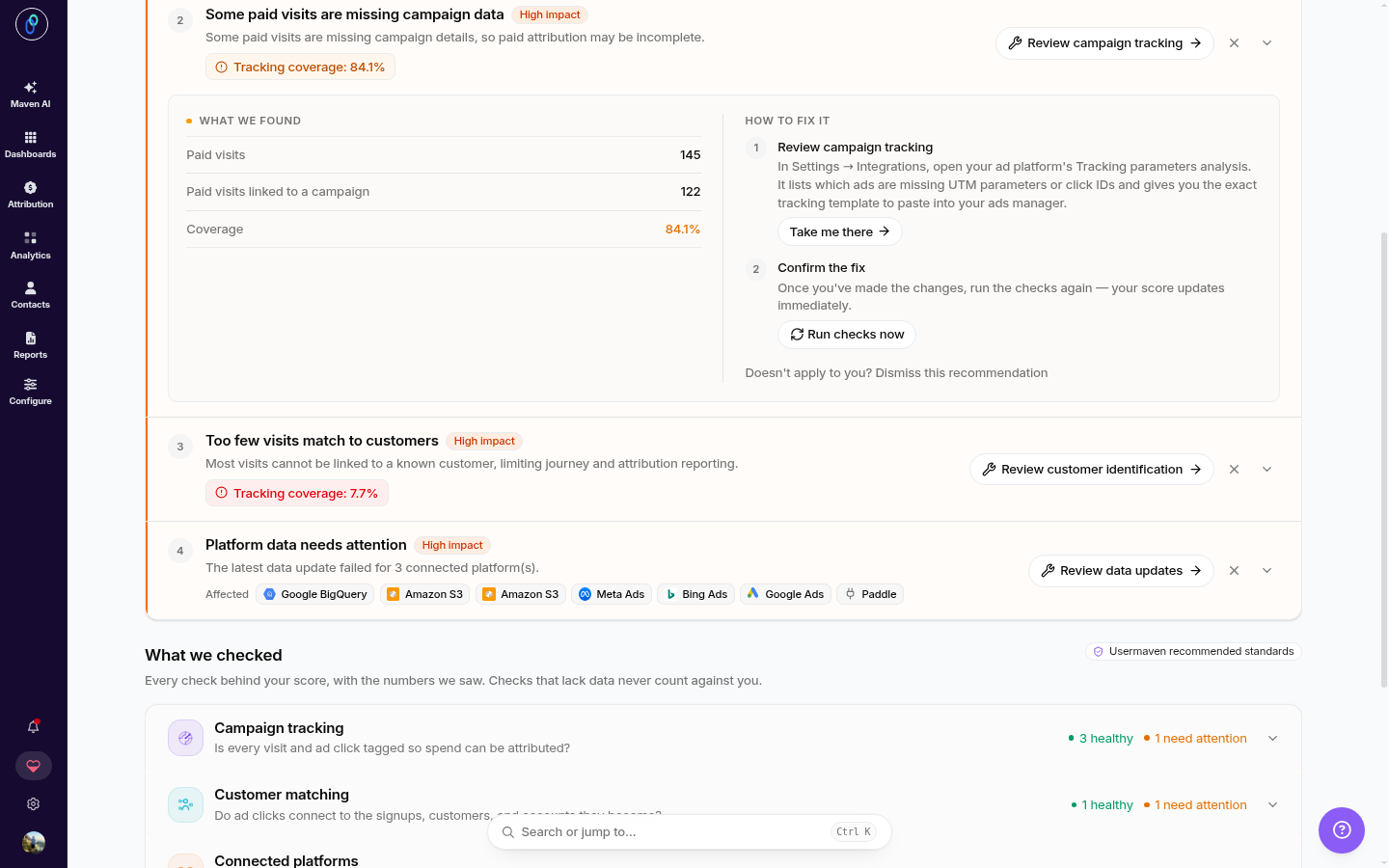
Below the score, Usermaven lists the fixes that will have the biggest impact on the accuracy of your analytics and attribution. Each item is labeled by severity (for example, Critical or High impact) and includes a short explanation of what's wrong and what's affected.
Common examples include:
Reconnect a platform – One or more connected platforms need to be reconnected or reviewed.
Some paid visits are missing campaign data – Some paid visits are missing campaign details, so spend can't be fully attributed.
Too few visits match to customers – Recent visits aren't connecting to the signups, customers, or accounts they become.
Platform data needs attention – One or more connected platforms aren't importing fresh data.
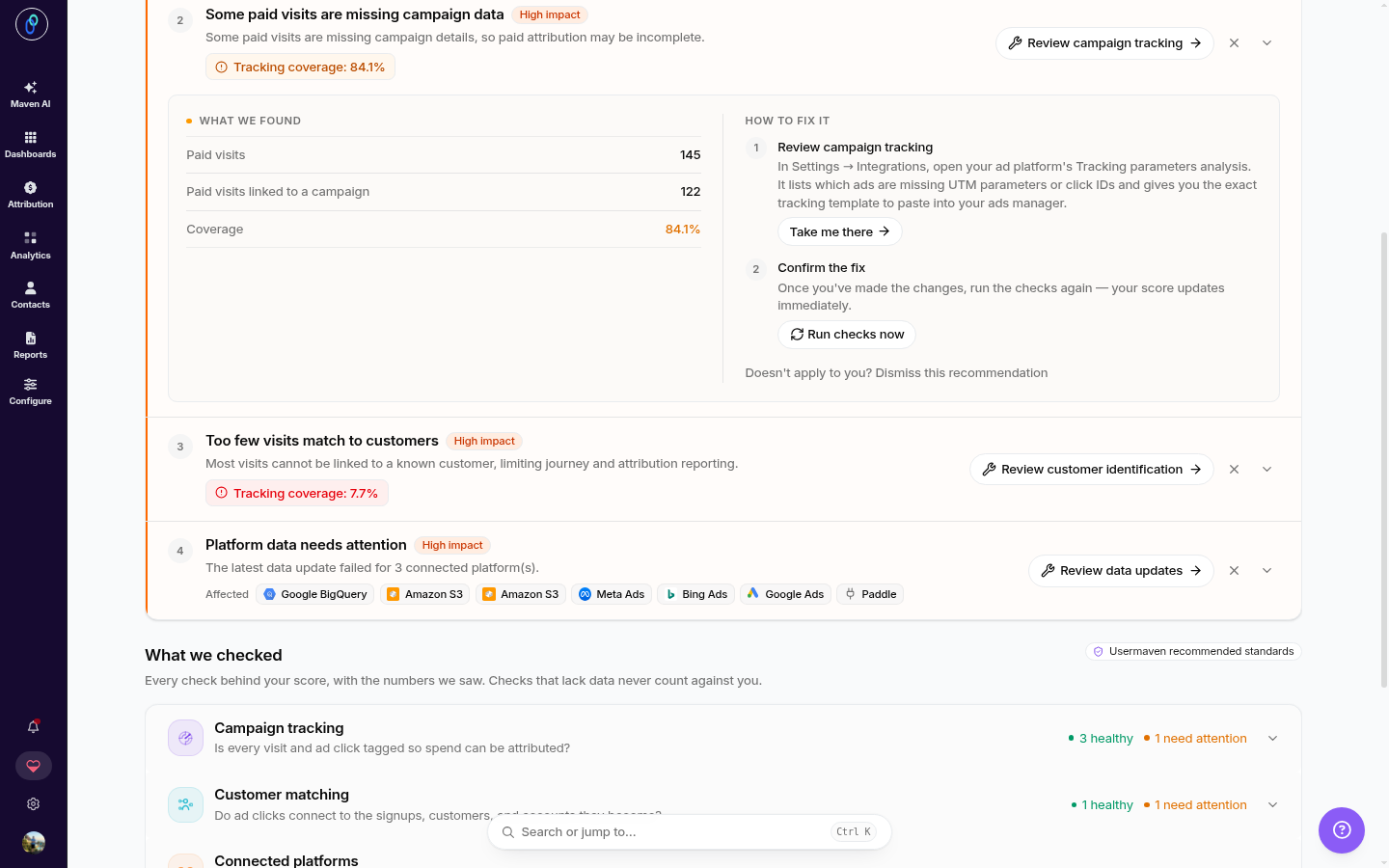
For each fix you can Review, Take me there (jump to the relevant setup screen), Dismiss (when it doesn't apply to you), and run checks again after making changes.
Note: A "server-side events are missing a page URL" warning can appear when your backend sends identify calls. Server-side identify calls legitimately have no page URL, so this is expected and usually not a misconfiguration. Confirm that the flagged events are identify calls before changing your setup.
What we checked
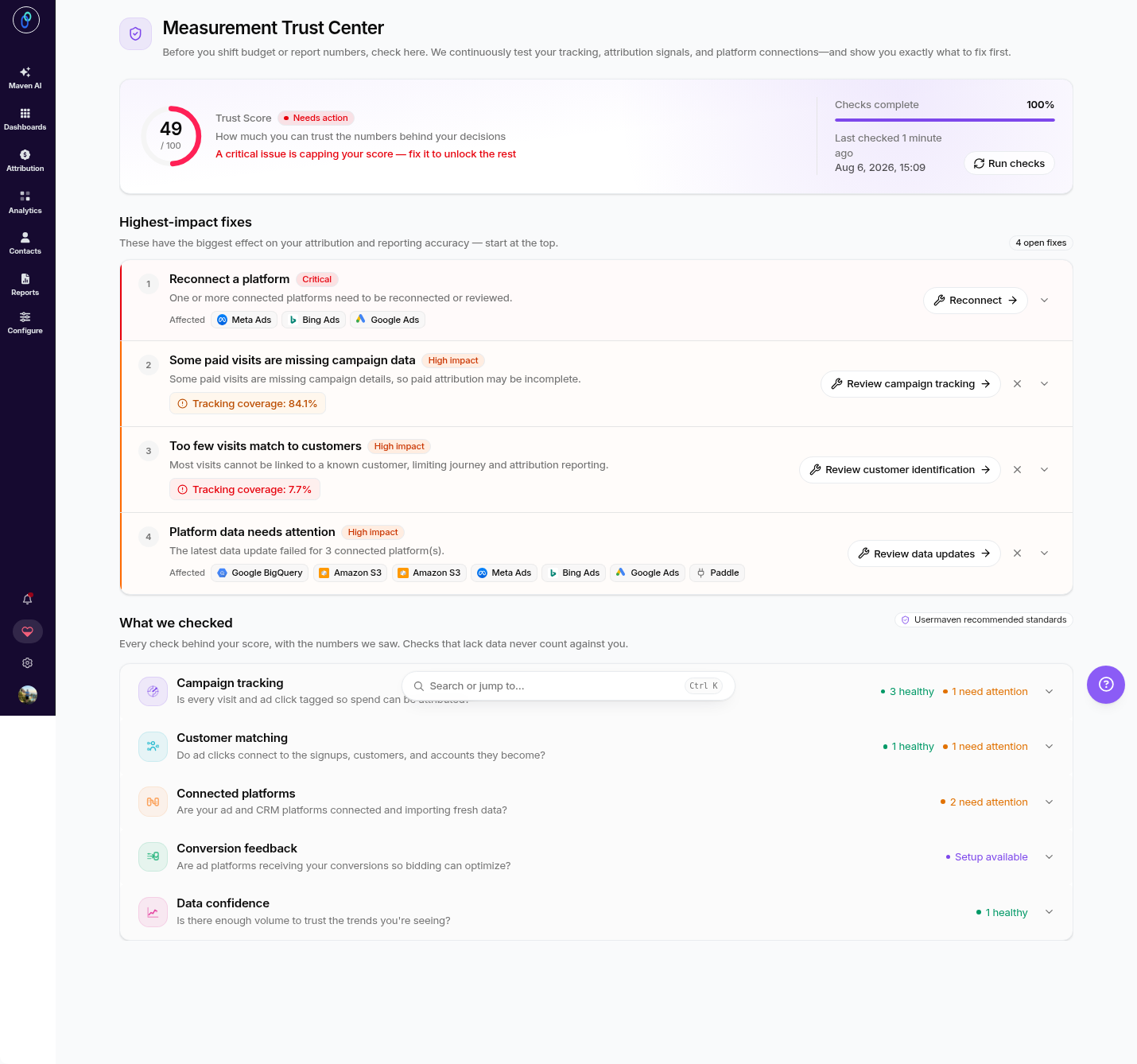
The Measurement Trust Center checks your setup across five core areas, showing how many checks are healthy or need attention in each:
Campaign tracking – Is every visit and ad click tagged so spend can be attributed?
Customer matching – Do ad clicks connect to the signups, customers, and accounts they become?
Connected platforms – Are your ad and CRM platforms connected and importing fresh data?
Conversion feedback – Are ad platforms receiving your conversions so bidding can optimize?
Data confidence – Is there enough volume to trust the trends you're seeing?
Running checks
To refresh your measurement health at any time, click Run checks. Usermaven re-evaluates your setup and updates your Trust Score and recommendations.
Fixing recommendations
When a fix needs attention, you have two ways to act:
Take me there – Jump straight to the relevant configuration screen (for example, reconnecting a platform or reviewing campaign tracking) to resolve the issue.
Review fix – Expand the fix to see more detail about what's wrong and what to do.
If a recommendation doesn't apply to your setup, you can Dismiss it so it no longer appears in your highest-impact fixes. Dismissal applies at the workspace level: acknowledging a known issue once covers the whole workspace, so you don't have to repeat it elsewhere.
Once you've made changes, click Run checks to confirm everything is healthy.
Was this article helpful?